Imagine your Amiga 1200 opening windows the moment you click, starting your whole games collection from a Compact-Flash card and playing MP3 files while you work. That is what a 68060 accelerator with 128 MB of Fast RAM does for the machine.
This guide is for A1200 owners who want that step. It shows what the upgrade opens up, which CPU to choose for the TF1260 and how to get the software right on the first start.
What a 68060 Opens Up
A stock A1200 has a 68EC020 at 14 MHz and 2 MB of Chip RAM, which the CPU shares with the graphics and sound chips. There is no Fast RAM at all. The 68060 is the fastest CPU of Motorola’s 68k family, and on the TF1260 it comes with 128 MB of Fast RAM that belongs to the CPU alone. Here is what that changes:
- A Workbench that keeps up with you. AmigaOS 3.2 on a high-resolution screen, many windows, background tools: directories list, windows open and programs start without the waiting you know from a stock machine.
- Your games on the hard drive. WHDLoad installs games and demos to a hard drive or Compact-Flash card and starts them from Workbench. Many installs need more memory than 2 MB of Chip RAM; with 128 MB of Fast RAM there is room to spare, and you quit back to Workbench when you are done.
- Image and sound work. Programs such as ImageFX or Personal Paint apply filters and convert pictures much faster, and long samples fit comfortably into memory.
- MP3 playback. Decoding MP3 files is too much for a stock 68EC020. A 68060 plays them in real time with players such as AmigaAMP.
- Doom and Quake. The Amiga ports of Doom run well on a 68060, and the 68k ports of Quake are written for a 68060 with FPU.
- 3D rendering. With the FPU of the full MC68060, renderers such as Imagine or LightWave work through scenes far faster than any stock Amiga could.
- The web. With a network connection, iBrowse and AmiSSL bring HTTPS websites to the Amiga. Encryption is hard work for a 68k CPU, and the 060 makes it usable. Simple sites work well; modern script-heavy sites remain out of reach.
Measured on My Test Machine
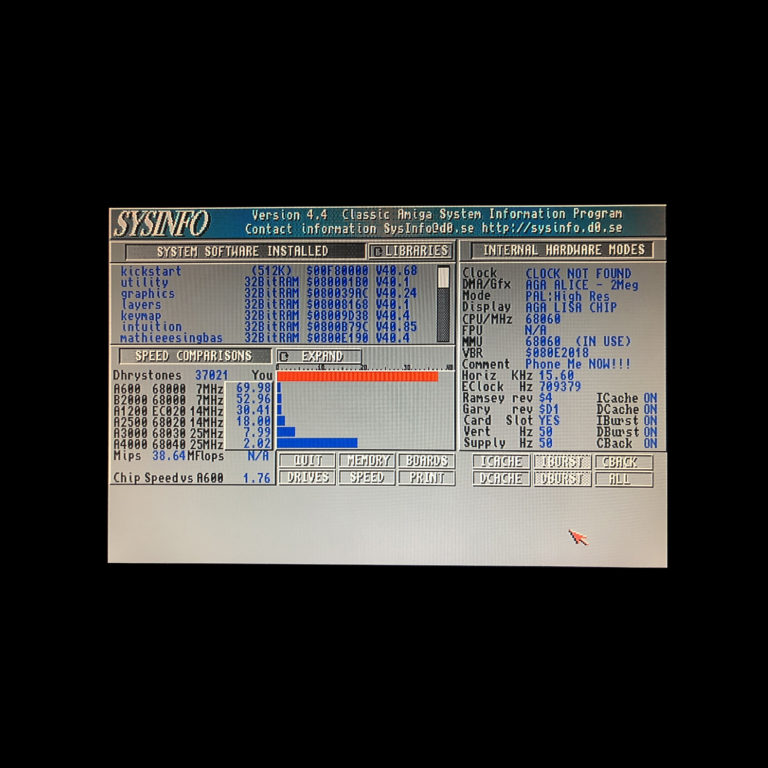
SysInfo on my own test machine, an A1200 with a TF1260 and the MC68LC060RC50, reports 37021 Dhrystones and 38.64 MIPS. SysInfo also compares the result with classic Amiga models:
| Compared with | SysInfo factor |
|---|---|
| A600 (68000, 7 MHz) | 69.98 times as fast |
| Stock A1200 (68EC020, 14 MHz) | 30.41 times as fast |
| A3000 (68030, 25 MHz) | 7.99 times as fast |
| A4000 (68040, 25 MHz) | 2.02 times as fast |
In plain words: in this test the TF1260 makes an A1200 about 30 times as fast as it left the factory, and twice as fast as an A4000 with its 68040. That is the LC version; the Dhrystone test measures integer speed, so the FPU of the full MC68060 plays no part in it.
What the TF1260 Offers
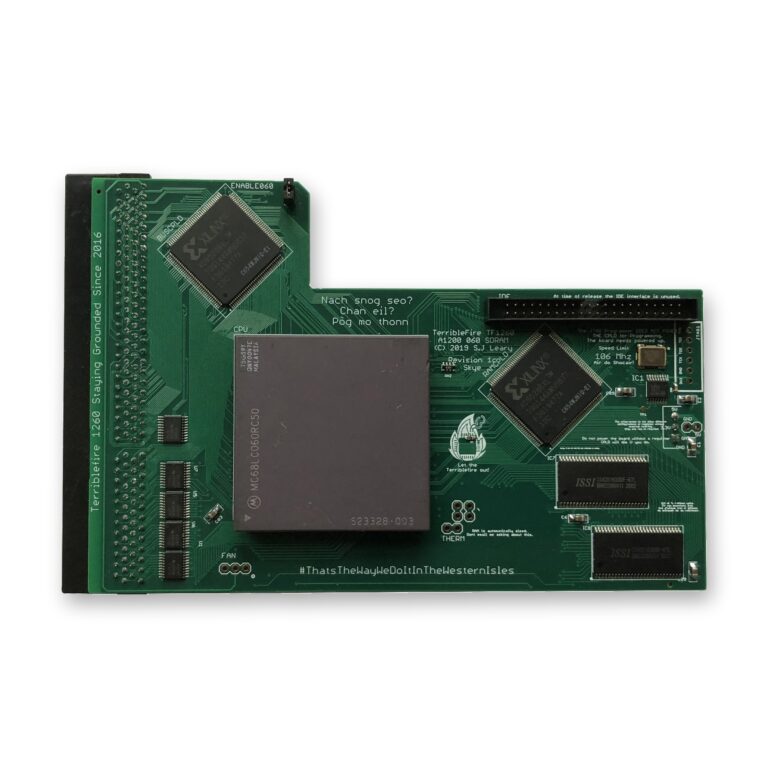
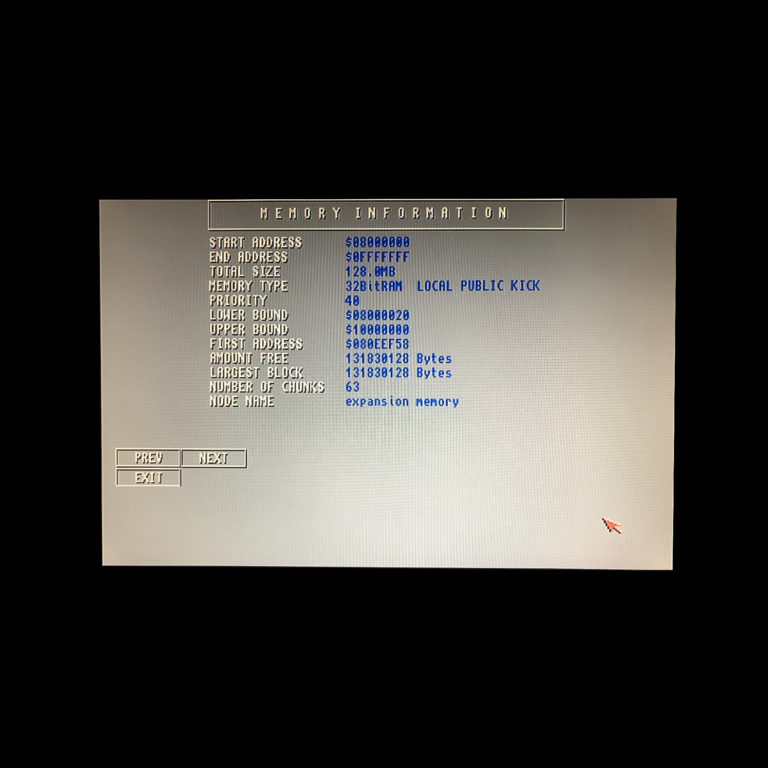
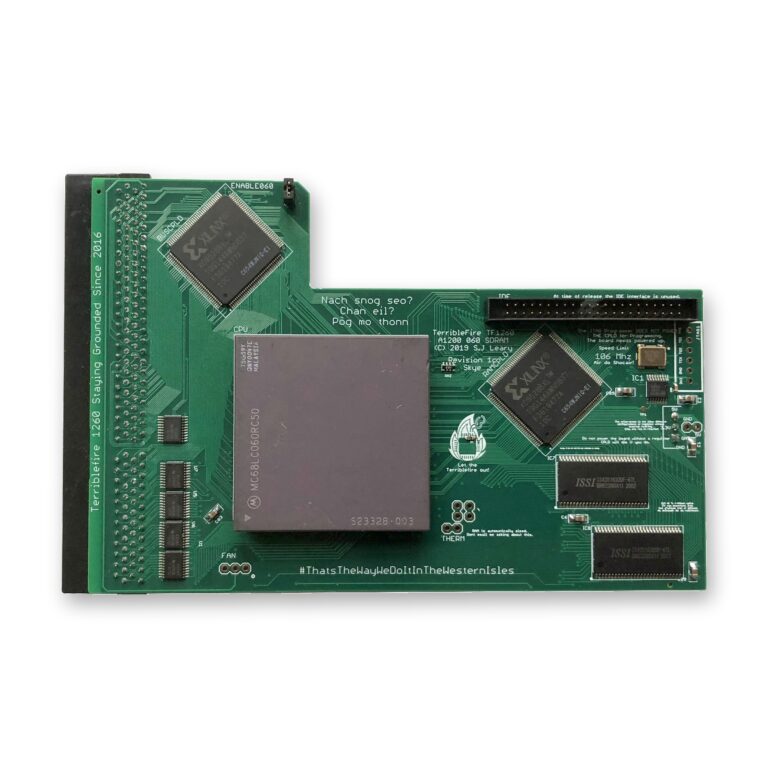
The TF1260 is a brand-new, professionally built 68060 accelerator for the Amiga 1200. It fits the expansion slot under the trapdoor and comes with:
- a choice of CPU: MC68060RC50 or MC68LC060RC50
- 128 MB of Fast RAM with 60 ns access time
- a high-quality PCB with immersion gold surface finish
- a floppy disk with the 68060 library files
- a two-year warranty in case of defect (no warranty for overclocked CPUs)
MC68060 or MC68LC060: the FPU Question
Both CPUs run at 50 MHz and have an MMU (memory management unit). The difference is the FPU, the floating point unit that does fast maths with decimal numbers:
- The MC68060RC50 has a built-in MMU and FPU. It runs everything, including the 3D renderers and Quake ports above, and you never have to think about it when you install software.
- The MC68LC060RC50 has an MMU but no FPU. It is the low-cost option, and software that requires an FPU will not run on it.
The vast majority of Amiga software does not need an FPU. Workbench, most applications and games run at full 060 speed on the LC version. There is one habit to learn: when an installer asks for your CPU and offers no 060 option without FPU, choose the 020/030 version. That installs the program without FPU support, but it still runs at the full speed of the 060.
If 3D rendering or Quake is part of why you want a 68060, choose the full MC68060RC50.
CPU Revisions and Masks in Plain Words
Motorola revised the 68060 several times, each time with new photo masks; the mask code printed on the chip tells you the revision. “RC50” stands for a nominal 50 MHz.
- MC68060RC50 revision 6, mask 71E41J: the latest revision Motorola produced, with MMU and FPU, and well suited to overclocking. I sell it on its own as the MC68060RC50 CPU, revision 6, tested at its nominal 50 MHz.
- MC68060RC50 revisions 1 and 5: also with MMU and FPU, but they run quite a bit hotter and are not suitable for overclocking. Active cooling is recommended for them.
- MC68LC060RC50 revision 4, mask 75G59Y: MMU, no FPU. It suits every 68060-based accelerator board and is available on its own as the MC68LC060RC50 CPU; every one is tested.
Installing the 68060 Library Files
Every 68060 on the Amiga needs the 68060 library files in the LIBS: folder. The 68060 leaves out some instructions of the older 68k CPUs, and the library handles them in software, so programs written for a 68020 or 68030 keep working.
- AmigaOS 3.1.4 or 3.2.x: the library files come with the AmigaOS disks. Start the installer disk and select “CPU Libraries”.
- AmigaOS 3.0 or 3.1: these versions bring no 68060 library of their own. I recommend the Mu680x0Libs package on aminet.net.
The TF1260 also comes with a floppy disk containing the 68060 library files. For a smooth first start:
- Install the library files while your A1200 still runs on its old CPU.
- Switch off and unplug the Amiga, then fit the TF1260 in the trapdoor slot.
- Start the Amiga, open a Shell and type version 68060.library. It should report the installed library.
- From now on, install software in its 060 version (on an MC68LC060, as described above).
Cooling and Overclocking
The TF1260 is supplied without a heat sink or fan, so plan the cooling yourself. At its nominal 50 MHz a revision 6 MC68060 is the easy case. The older revisions 1 and 5 run noticeably hotter, and for those active cooling with a fan is recommended.
The revision 6 MC68060RC50 has been tested to be overclockable up to 100 MHz with the BFG9060 and other accelerator boards. A stable system is not guaranteed, though, and the TF1260’s warranty does not cover overclocked CPUs. My advice is to enjoy the 68060 at 50 MHz: in an A1200 that is already a very large step up from the stock 14 MHz 68EC020.
Stock A1200 and TF1260 Side by Side
| Stock A1200 | TF1260 with MC68LC060RC50 | TF1260 with MC68060RC50 | |
|---|---|---|---|
| CPU | 68EC020, 14 MHz | 68060, 50 MHz | 68060, 50 MHz |
| FPU | No | No | Yes |
| MMU | No | Yes | Yes |
| Fast RAM | None | 128 MB | 128 MB |
| Software that requires an FPU | Does not run | Does not run | Runs |
| 68060 library files | Not needed | Needed | Needed |
One thing to know: some older games and demos were written with the timing of a slower CPU in mind and can behave differently on a much faster one. Many WHDLoad installs correct exactly such problems.
Already Own a Blizzard 1260?
If you have a vintage Phase 5 Blizzard 1260 with the SCSI Kit IV, you can keep it going: the Blizzard SCSI Kit ROM Update 8.5 brings the kit’s ROM to the last release, and a BlueSCSI v2 replaces an old mechanical SCSI hard drive.
Storage to Go With It
A fast CPU deserves fast, silent storage, and your WHDLoad collection needs a home. The simplest choice in an A1200 is the Compact-Flash adapter for IDE 2.5″ 44-pin. It connects a Compact-Flash card to the internal IDE port and needs no power cable and no software drivers. In HDToolBox, set Mask to 0x7FFFFFFE and MaxTransfer to 0x1FE00, and check the maximum partition size for your AmigaOS version.
The Big-Box Route: A3000 and A4000
The TF1260 is for the Amiga 1200 only. For the Amiga 3000(T) and 4000(T) there is the BFG9060, also with 128 MB of Fast RAM and the same choice between the MC68060RC50 revision 6 and the MC68LC060RC50 revision 4. My guide Upgrading the Amiga 3000(T)/4000(T) with a 68060 CPU covers it in detail.
My Recommendations
- A1200 for Workbench, WHDLoad games, image and sound work, MP3: the TF1260 with the MC68LC060RC50.
- A1200 for 3D rendering, Quake or any software that requires an FPU: the TF1260 with the MC68060RC50, so every program runs and installing is never a question.
- Storage for either: the Compact-Flash adapter, with a card large enough for your games and programs.
- Amiga 3000(T) or 4000(T): the BFG9060 instead of an A1200 board.
Ready to give your A1200 its 68060? Order the TF1260 with the CPU that suits you. If you are unsure which one fits the programs you use, contact me and tell me what you run.